Now in early access, for Mac
Get your work done without learning AI.
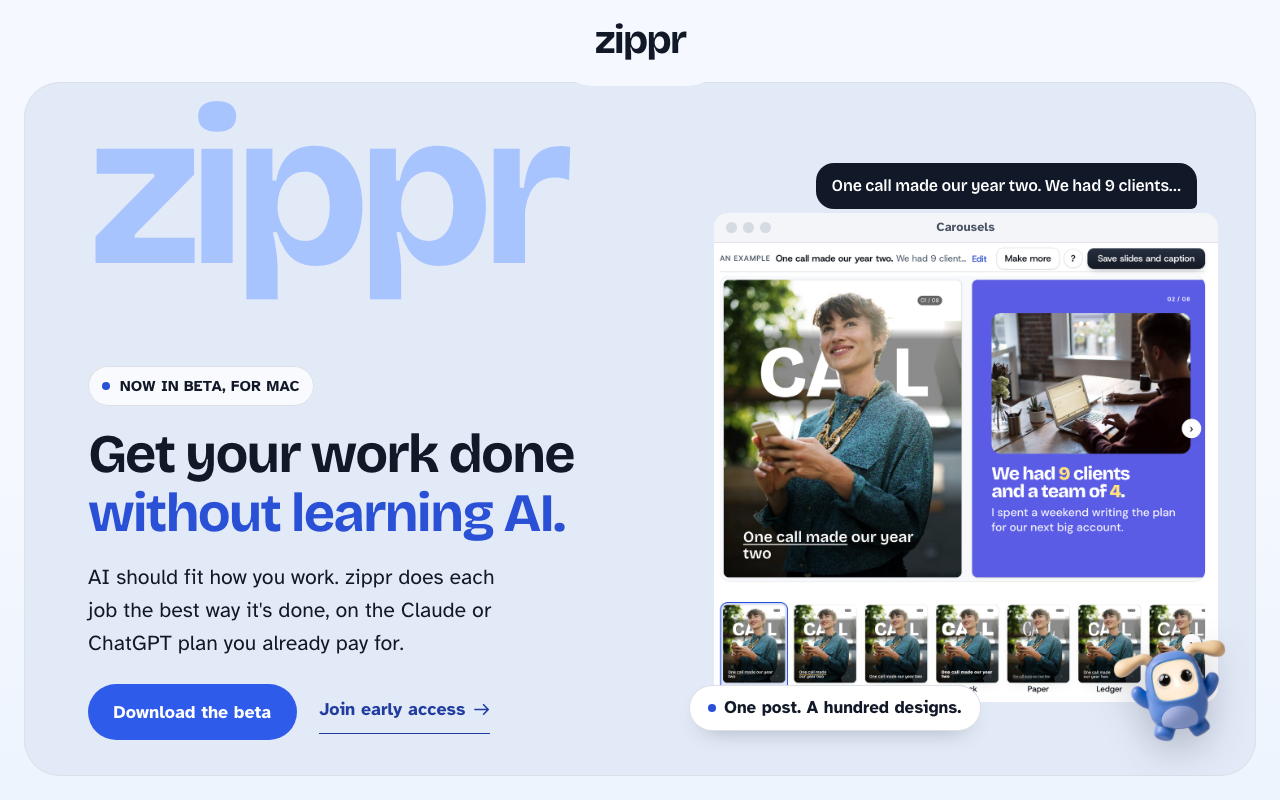
AI should fit how you work. zippr does each job the best way it's done, on the Claude or ChatGPT plan you already pay for.
A hundred saved reels. Not one tried yet.
Each one means learning a skill, a plugin or a GitHub page first. Most people just want the work done.
Skip the extra design app. Use the AI you already pay for.
People pay for a design app on top of Claude or ChatGPT. zippr does the design work on the plan you already have.
zippr thinks in tasks. Each one done its best way.
A job is a few tasks. zippr does each one the best known way, and asks Claude or ChatGPT only where it has to think or write.
Start with these two. More are on the way.
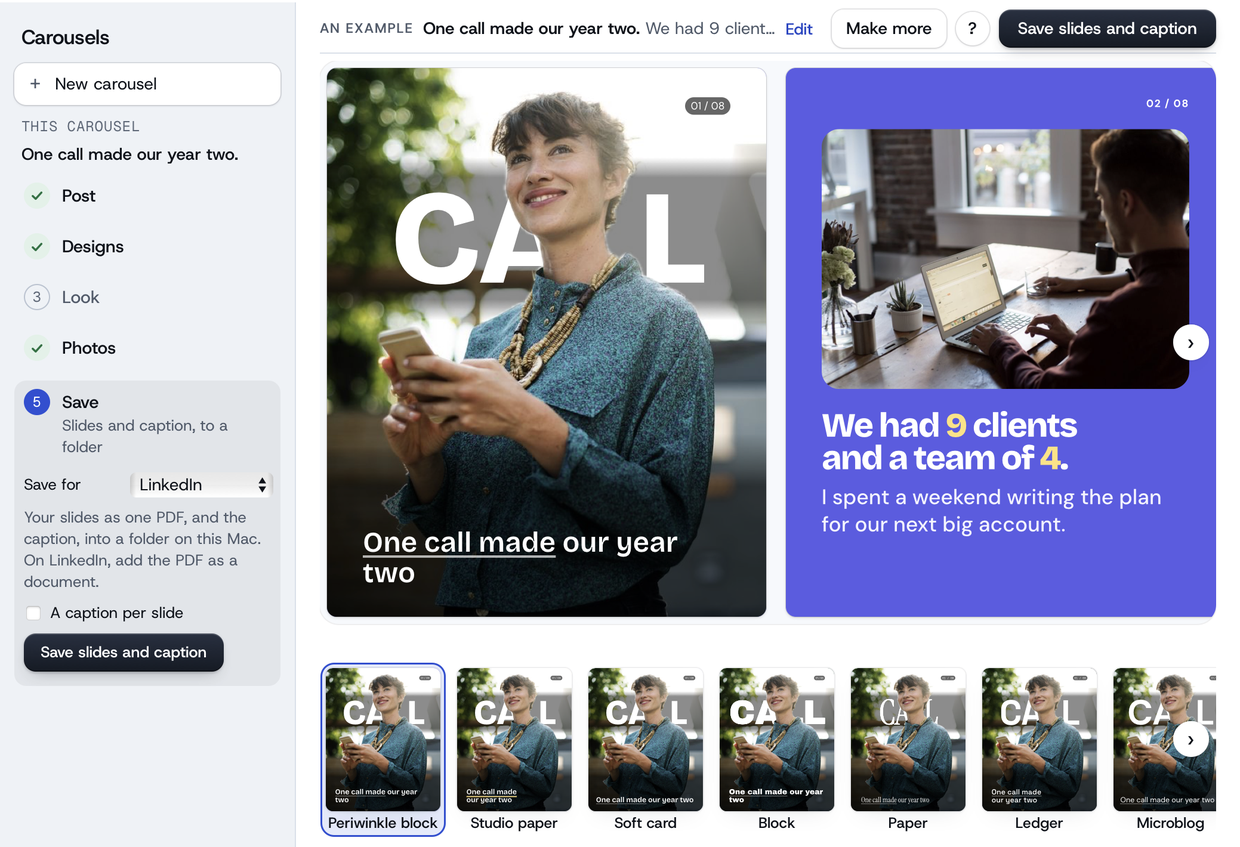
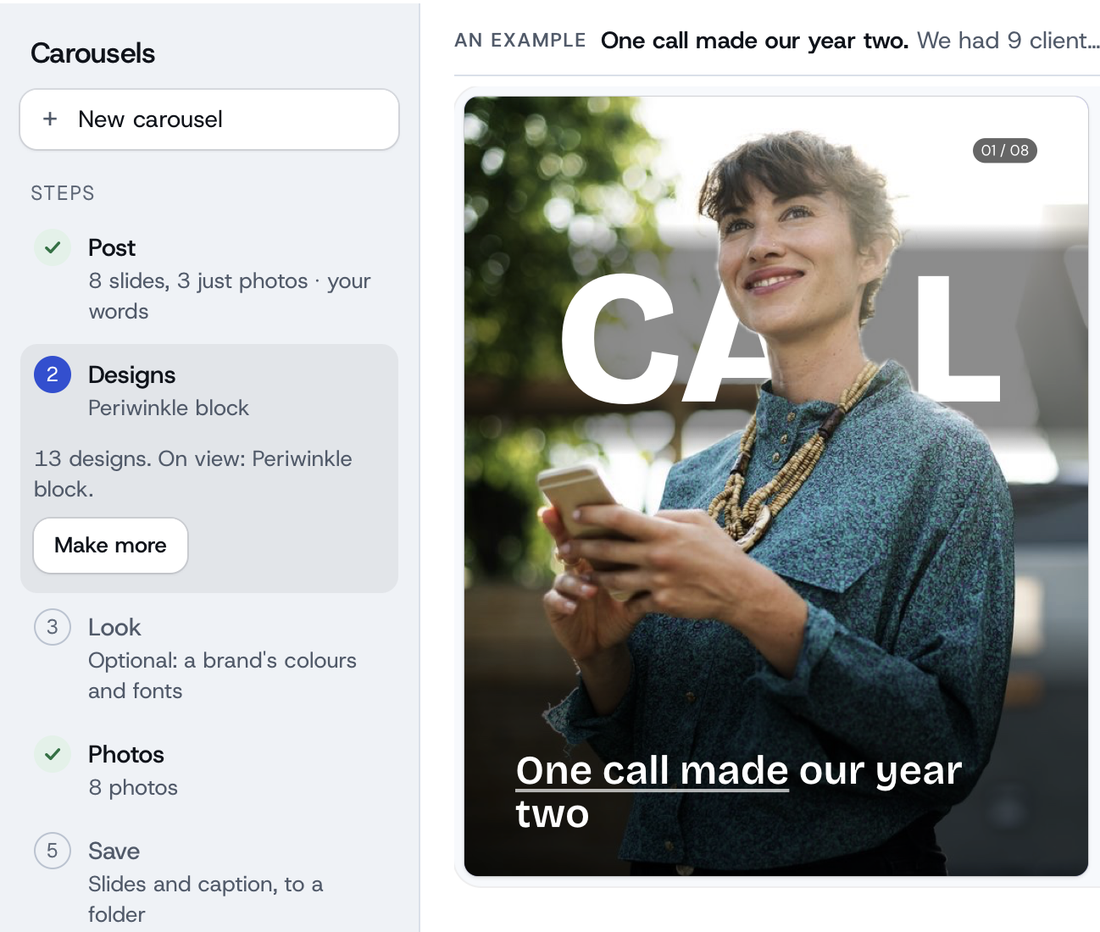
Carousels
Turn a post, a link or an idea into a carousel in many designs, for Instagram, LinkedIn, X or Facebook.
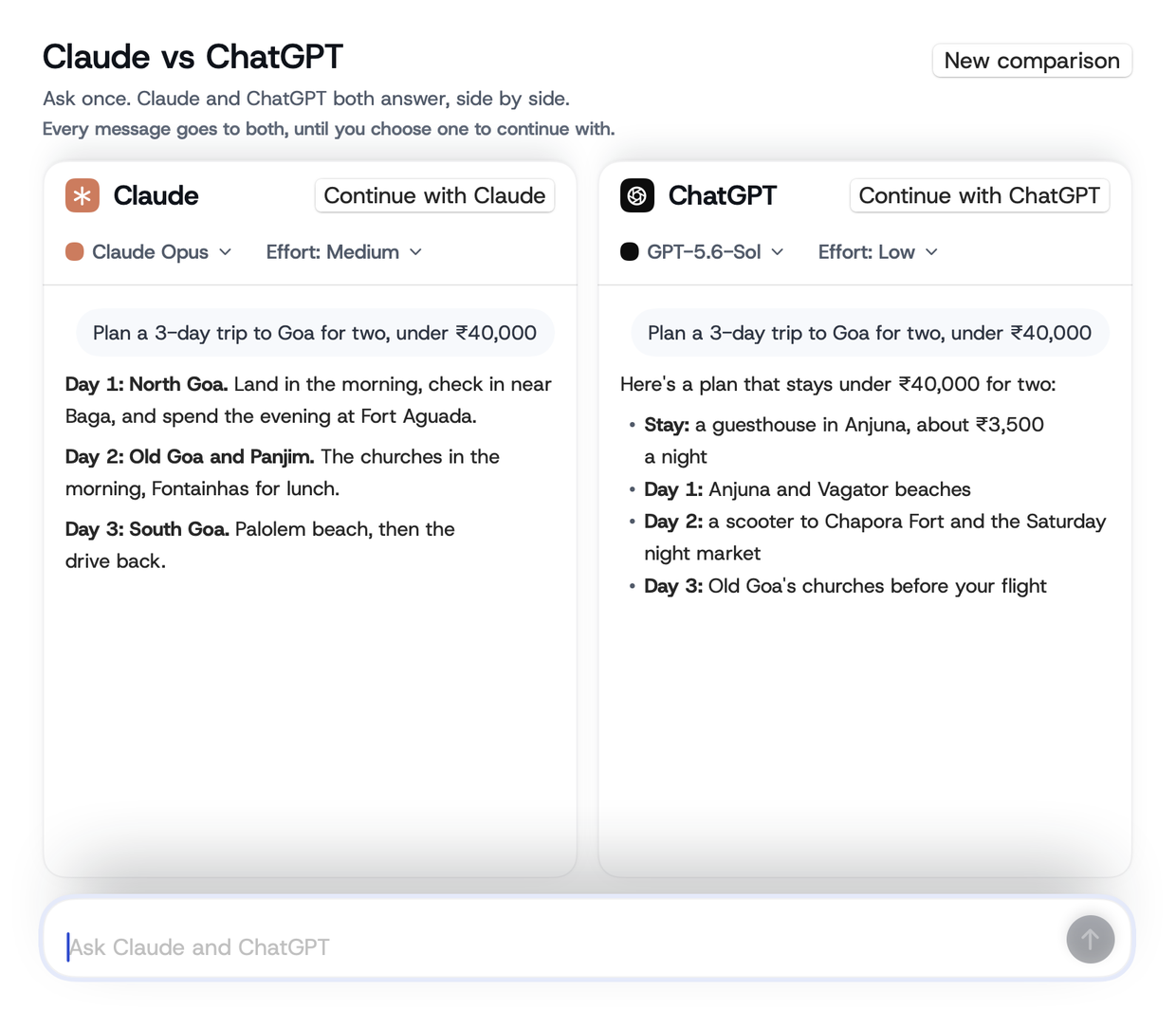
Claude vs ChatGPT
Ask both the same thing and see their answers side by side. Carry on with the one you like.
Free, always
Overwhelmed by AI? You don't have to figure it out alone.
zippr's early-access community on WhatsApp. We'll make AI simple for you.
What you get
- See how founders and operators use AI in their work
- Share how you use Claude and ChatGPT, and see how others do
- Get best practices from the zippr team, so you start from what already works
- See new flows first, and tell us the job you want next
- Talk to the team building zippr
Who's in the room
- A business leader who has worked across Asia and Europe
- A managing partner who has spent years scaling ventures
- A founder building consumer brands
- A design leader building workplace products
- An engineering leader with over a decade of experience
- An engineer building distributed systems
Any job, done the best way. One at a time.
We're working towards any job you do with AI running on zippr, done the best way it can be. It starts with carousels. Tell us the job you want next.
Updates coming soon
Watch AI agents build zippr in public.
AI agents do most of the building: the app, this site and the films. zippr's founder, Prajwal, directs them.
Most AI time goes on jobs someone already solved.
So we share the best way we know for each one: the exact prompt, the tools and the steps. Something that just works is the zippr promise.
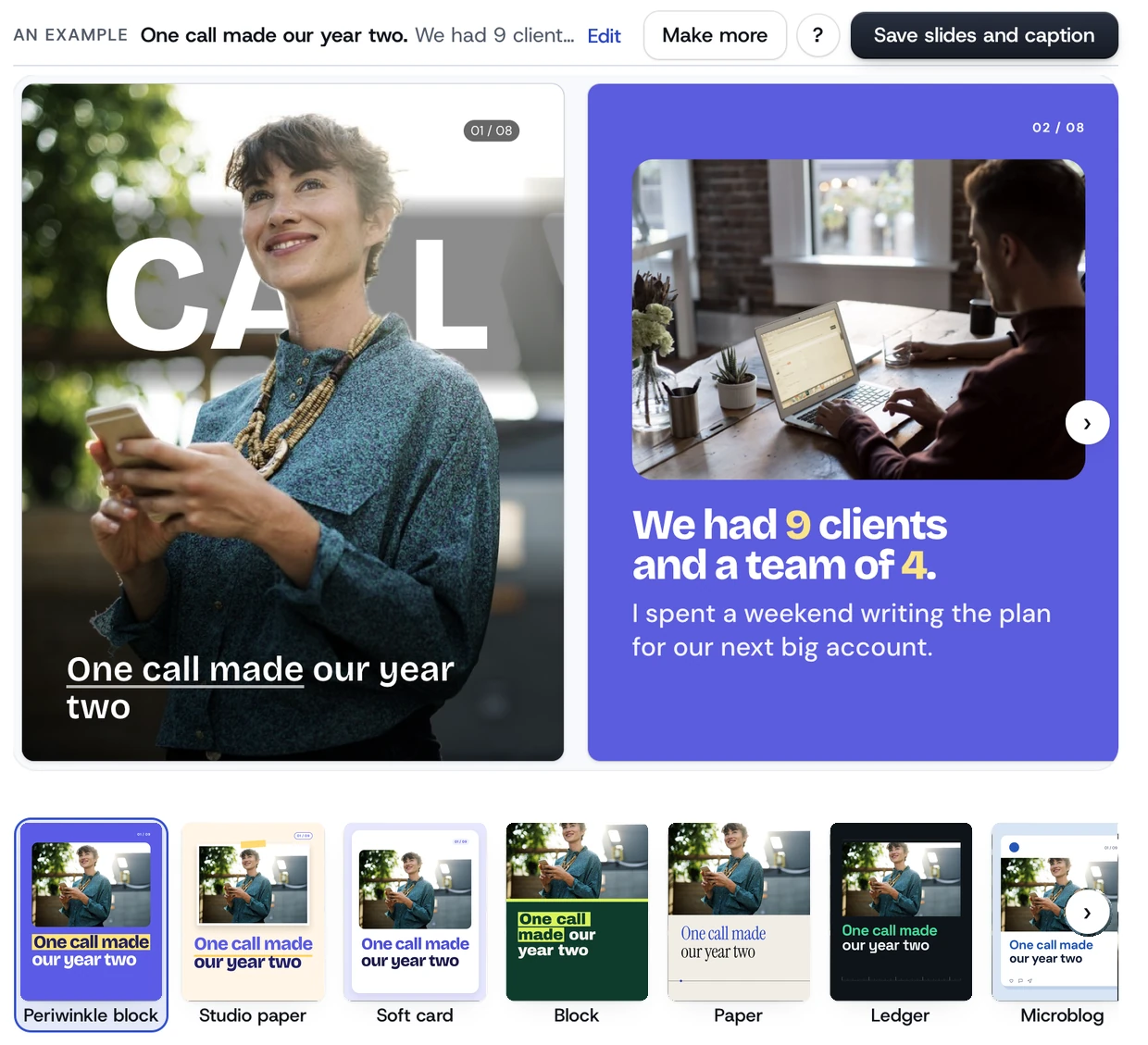
One post into many carousel designs
The prompt
Show the full promptShow less
One call made our year two. We had 9 clients and a team of 4. I spent a weekend writing the plan for our next big account. Then one client called to ask if we could do twice the work. We said yes before we knew how. That account is now 40% of our revenue. If you're in year two, say yes to the big ask. You'll work out how.
The tools
Show both toolsShow less
- zippr Carousels (Mac app, early access)Turned the post into slides, then drew every design
- Claude, on a Claude planWrote the slides' words from the post
The steps
Show all 5 stepsShow less
- Paste the postYou
- Split it into slides and write their wordsAI
- Draw every designFree, instant
- Place the photosFree, instant
- Save the slides and the captionFree, instant
What came out
Paste the post as it is; every design comes from the same steps.
A film: the setup wall
The prompt
Show the full promptShow less
Make a 30-second film. Ask: "Do you know what skills, plugins and connectors are?" The pointer hovers Yes, then presses No. The setup rains in as bricks with a tally until it's a wall. One press and the wall falls into the app's first screen.
The tools
Show both toolsShow less
- Claude (Opus 5.5)Wrote and drew the film in code
- The zippr appIts real first screen, for the ending
The steps
Show all 7 stepsShow less
- Say the idea in one lineYou
- Try three ways to tell itAI
- Storyboard first: a few still frames, then a yesAI
- Draw every frame in codeAI
- Render the videoFree, instant
- A fresh AI reader watches it before any person doesAI
- You pick the one that goes onYou
What came out
Thirty seconds on why AI setup stops people, and what's left without it.
A film: Claude and ChatGPT, side by side
The prompt
Show the full promptShow less
Record one question asked of Claude and ChatGPT at once in zippr: both answers arrive side by side, then press Continue with Claude and ask one follow-up. Cut it to 25 seconds.
The tools
Show all 3 toolsShow less
- zippr's Claude vs ChatGPTAsked both and showed the answers side by side
- A screen recordingThe app, recorded as it ran
- Claude (Opus 5.5)Cut the film
The steps
Show all 5 stepsShow less
- Ask one question in Claude vs ChatGPTYou
- Record the screenFree, instant
- Cut it to 25 secondsAI
- A fresh AI reader watches it before any person doesAI
- You pick the cutYou
What came out
The free flow, shown as it really runs.
This homepage, in seven screens
The prompt
Show the full promptShow less
Build my homepage in seven screens, in my site's own look: my line first, with real output as proof; the problem; why your plan goes further; how it works; what you can do today; what's coming; then the ask. Draw every picture by hand around real screenshots of my app. One screen size first.
The tools
Show all 3 toolsShow less
- Claude (Opus 5.5)Wrote the page in HTML and CSS
- A test build of the zippr appDrew its own screens for the pictures
- A browser with nobody at the keyboardChecked every screen at 1280 and 390
The steps
Show all 5 stepsShow less
- Say the order of the pageYou
- Build a rough version, one sizeAI
- Draw the pictures around real app shotsAI
- Check every screen at two sizesFree, instant
- You pick, then the words are tightenedYou
What came out
A homepage built the way it describes: options first, then your picks.
Why show you all this?
People keep solving the same jobs again with AI. We share the best way we know, so you don't have to find it again. Something that just works: that's the zippr promise.
Make your first carousel today.
On a Mac (M1 or later)? Download zippr and sign in with your email to ask for early access. We approve each new account by hand. Not on a Mac? Ask for early access here, free, and tell us the job you'd hand over first. We only email you about your access.